
Building · 2026-08-14 · 9 min read · By Arden Talbot, founder of SheetLink
What actually happens to a form submission
Between the click and the spreadsheet row there is a whole pipeline: encoding, transport, screening, a queue, delivery, and retries. Here is the journey, told for people who do not run servers for a living.
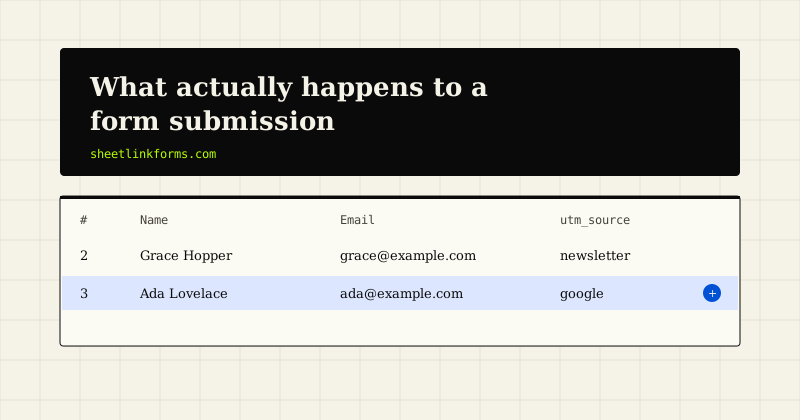
A submission is a journey, not an event
From the submitter's chair, a form submission is instantaneous: click, thank-you page, done. From the infrastructure's chair, that click sets off a relay race with half a dozen handoffs, and every handoff is a place where the baton can drop. Most of the time nothing drops, which is exactly why the pipeline is invisible - and why, when a lead does go missing, nobody knows where to look.
This essay walks the whole route: how the browser packages your data, how it travels, what screens it on arrival, why it waits in a queue, how it becomes a spreadsheet row, and what happens when that last step fails. No prior infrastructure knowledge assumed - just a willingness to follow one submission all the way down. If you want the condensed product version first, how it works covers it in five steps.
Stage one: the browser packs the box
Before anything travels, the browser has to serialize your form into bytes, and it has three packing styles. The default is urlencoded: field names and values strung together like name=Ada&email=ada%40example.com, compact and universal. Multipart splits each field into its own labeled part - built for file uploads, bulkier for everything else. And scripts often skip both and send JSON. The differences are small but consequential; our glossary entry on urlencoded vs multipart goes deeper.
The failure modes here are quiet ones: a form whose encoding does not match what the server expects, a field name misspelled so its value travels under the wrong label, or a payload that balloons past a size limit. A good endpoint accepts all three encodings - ours does, with a 256KB cap - so the packing style stops being something you can get wrong.
Stage two: the trip across the network
The packed request now travels: a DNS lookup finds the endpoint, a TLS handshake encrypts the channel, and the POST goes over the wire. For a plain HTML form this is a full page navigation and browsers handle everything. For an AJAX submission from a different domain, one more actor appears: the browser's cross-origin rules. Before sending your data, the browser may first send a preflight request asking the endpoint whether this origin is welcome, and only proceeds if the CORS answer says yes.
Transport failures are the loud ones - a typo in the action URL, a dropped connection, a CORS rejection printed in red in the console. Loud is good. A failure the submitter can see is a failure someone will report. The genuinely dangerous failures live further down the pipe, where nobody is watching.
Stage three: the front door
The request arrives, and the endpoint makes its first decisions before reading a single field. Is the payload under the size cap? Has this form - or this IP address - been submitting suspiciously fast? Per-form and per-IP rate limits exist because abuse rarely arrives one request at a time; it arrives in bursts of thousands. If the form has an origin allowlist configured, requests claiming to come from anywhere else are turned away here too.
The front door's job is cheap rejection: refuse the obviously abusive traffic before spending any real work on it. Legitimate submissions pass through in a few milliseconds and never notice it existed.
Stage four: the screening room
Now the content gets read. The honeypot check comes first: a field named _slhp, invisible to humans, that only an automated form-filler would complete - filling it is the one signal that marks a submission as spam outright. Everything else is scored, not sentenced: a timing signal (real humans do not complete forms in 400 milliseconds), and content heuristics that notice link stuffing, disposable email domains, and empty payloads, tuned by a per-form strictness dial. Cloudflare Turnstile can be layered on for contested forms.
Here is the design decision we consider most important: suspicious submissions are not deleted. They are quarantined for one-click review, and approving one delivers it normally. Every spam filter mislabels sometimes; the honest question is what a mistake costs. With quarantine, a false positive costs seconds. With silent dropping - still common in this category - it costs the lead, and you never learn it happened.
Stage five: the waiting room
A screened submission could, in principle, be written to your spreadsheet right now, while the submitter waits. It is not, and the reason is a small piece of engineering honesty: spreadsheet APIs are third-party services with their own moods. They rate-limit, they hiccup, they occasionally take three seconds to answer. Chaining the submitter's experience to that would mean slow thank-you pages at best and lost submissions at worst.
So the pipeline splits. The submission is durably recorded, the submitter gets an immediate answer - a 303 redirect for HTML posts, {"ok":true} for AJAX - and an asynchronous worker picks up the delivery. This is the pipeline's load-bearing subtlety: the thank-you page means recorded, not delivered. Those are different promises, and keeping them separate is what makes both keepable.
Stage six: becoming a row
The worker's job is translation. It matches your field names against the destination's column headers - case and punctuation insensitive, so "Email", "email", and "E-mail" all find the same column - or follows an explicit mapping if you have set one. On an empty Google Sheet it seeds the header row first; on Excel Online it writes into the table you picked, whose columns define the row shape. The write goes directly to the Google Sheets API or Microsoft Graph - no middleman automation service relaying it.
One guard runs on every value: anything beginning with =, +, -, or @ is escaped, because spreadsheets will otherwise execute it as a formula. Formula injection is an old, well-documented trick, and a form pipeline that writes to spreadsheets without this guard is leaving a door open. More on our posture in general is on the security page.
Stage seven: when delivery fails
Sometimes the write fails anyway. An OAuth token expires. A tab gets deleted. The API has an outage. This is where the queue pays for itself: the worker retries at 5 minutes, 30 minutes, and 2 hours, a spacing pattern known as retry backoff that rides out transient failures without hammering a struggling API.
And because retries can also exhaust, every attempt is written to a delivery log you can actually read: received, delivered, retrying, or failed, per submission. The log is the pipeline's confession booth. Infrastructure that cannot tell you what it did with your data is infrastructure you are trusting on vibes.
A map of where failures live
Lay the stages end to end and a pattern emerges. Failures before the front door - bad URLs, CORS errors, dead connections - are visible to the submitter, so they get noticed and fixed. Failures at the door and in screening are visible to you, if quarantine and rate limits are surfaced rather than silent. Failures after the queue - expired tokens, renamed columns, API outages - are visible to no one unless the system deliberately keeps a log and retries.
That gradient is the whole argument of this essay: the further a failure sits from the click, the more deliberate the engineering required to make it observable. When you evaluate any form backend, the sharpest question is not "does it work?" - everything works on the demo - but "when stage seven fails at 2 a.m., how will I find out, and what will have happened to the submission?"
Why this matters if you never touch a server
"My form works" and "my leads arrive" sound like the same claim. They are stage-two and stage-seven claims respectively, separated by screening, a queue, an API, and a retry schedule. People who lose leads almost never lose them at the form; they lose them in the invisible stages, silently, for weeks.
You do not need to operate this pipeline to benefit from understanding it - you just need to know which questions it answers. Watch a submission make the full trip on the live demo, where a real form feeds a public sheet, or read the docs if you want the same story with request samples. The pipeline is happy to be invisible. It just should never be unaccountable.
FAQ
What are the stages of a form submission pipeline?
Roughly six: the browser encodes the data, the network transports it, the endpoint screens it for abuse and spam, a queue records it, an asynchronous worker delivers it to the destination, and a retry-plus-log layer handles failures.
Why do form backends use a queue instead of writing immediately?
Because destinations like the Google Sheets API are third-party services that can be slow or briefly unavailable. A queue lets the endpoint confirm receipt to the submitter instantly and deliver the row asynchronously, with retries if the first attempt fails.
Does the thank-you page mean my data reached the spreadsheet?
No - it means the submission was received and durably recorded. Delivery to the sheet happens asynchronously a moment later. The delivery log is what confirms the row actually landed.
Where do most lost form submissions actually disappear?
In the invisible late stages: spam filters that silently drop borderline messages, and delivery failures like expired OAuth tokens or deleted tabs. Front-of-pipeline failures are loud and get fixed; late-stage failures need quarantine, retries, and logs to surface.
What is a honeypot field?
A form field hidden from human visitors that automated spam scripts fill in anyway. Filling it is a near-certain bot signal. It looks like this in markup: <input name="_slhp" tabindex="-1" autocomplete="off" style="position:absolute;left:-9999px">. See the honeypot glossary entry.
What happens to submissions flagged as spam?
On SheetLink Forms, only a filled honeypot marks spam outright. Everything else that looks suspicious is quarantined for one-click review - approving a quarantined submission delivers it normally. Nothing is silently dropped.
What is formula injection and why does it matter for forms?
A submitted value starting with =, +, -, or @ can execute as a formula when opened in a spreadsheet. A pipeline that writes form data to sheets should escape those leading characters on every value, which ours does.
How many times is a failed delivery retried?
Three scheduled retries at 5 minutes, 30 minutes, and 2 hours after the initial failure, with each attempt recorded in the delivery log. That spacing absorbs transient API problems without hammering a struggling service.
See the whole pipeline run
Submit the live demo form and watch your row land in a public sheet - screening, queue, and all.
Start freeSee the live demoPost/Redirect/Get: a biography of the web's quietest patternChoosing boring technology for forms