
Spreadsheet ops · 2026-08-07 · 9 min read · By Arden Talbot, founder of SheetLink
Public sheets as transparency pages
Changelogs, waitlists, guestbooks, community boards: why publishing a live spreadsheet reads as more honest than a polished page, and the three safety rails that make it responsible.
The pattern: publish the working file
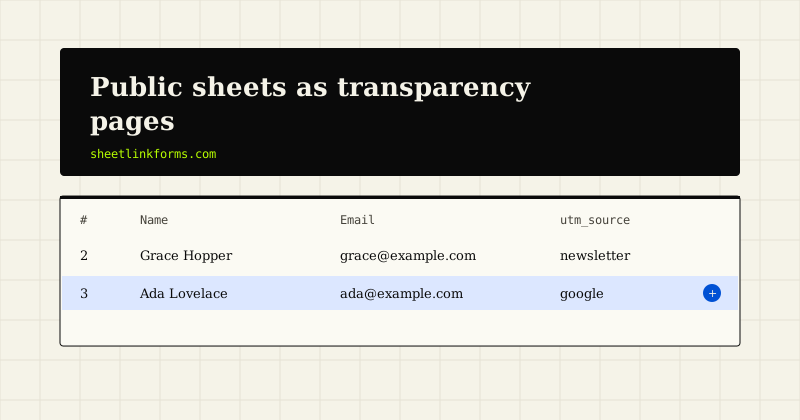
There is a small, durable genre of web page that is just a spreadsheet with the sharing set to public. Indie developers publish their changelogs this way. Communities run job boards and resource lists in shared sheets. Waitlists, event signups, guestbooks, public roadmaps - all published not as exports or screenshots but as the live working file, updating in front of whoever is watching.
It looks like laziness and is closer to the opposite. Publishing the working file is a deliberate transparency move with real trust mechanics behind it, a handful of genuinely good use cases, and - because the file is live and often fed by a public form - a short list of safety rails you should not skip. This piece covers all three, including how our own demo page is exactly this pattern.
Why a live sheet reads as honest
A polished status page or changelog is content that was prepared for you. Somewhere between the working data and the page, an editorial step happened: choices about what to show, what to omit, when to publish. Readers know this, and discount accordingly.
A live sheet deletes the editorial step. What you see is the artifact the team itself uses - same rows, same typos, same half-finished column someone added on a Tuesday. That unpolish is precisely the signal: it is expensive to fake being a working file, and everyone intuits this. The sheet also carries verifiable freshness. A marketing page saying "updated regularly" is a claim; a sheet whose latest row is timestamped this morning is evidence.
Where the pattern shines
Four shapes cover most of the genre.
- Changelogs and roadmaps. One row per change or planned item, dated and statused. Readers see velocity, not just claims about it.
- Waitlists and signups. A visible count of rows is social proof no counter widget can match, because it is inspectable. Pair with our waitlist form use case.
- Guestbooks. The oldest genre on the web, reborn: a form and a public sheet of greetings.
- Community boards. Job posts, tools, links, talks - anything a community submits and everyone browses. The sheet's sortable grid beats most purpose-built directories.
The common thread: data whose whole point is to be seen, arriving continuously, in rows.
The mechanics of trust
It is worth being precise about why this works, because the mechanics tell you when it will not. A public sheet earns trust through three properties. Inspectability: readers can scroll, sort, and check the whole dataset, not a summary of it. Freshness proof: timestamps on rows are evidence of activity that no "last updated" label matches. Cost asymmetry: keeping a fake working file convincingly alive is more work than just doing the work, so a live sheet is honest by economics.
The same mechanics define the limits. Data that needs context to interpret, data that embarrasses individuals, data with privacy weight - inspectability turns from feature to hazard. The pattern suits data that is boring to falsify and safe to see whole. Which most changelogs, waitlists, and boards are.
Our demo is exactly this
We should disclose that we run this pattern ourselves, as the product's front door. Our demo page is a real form posting to a real endpoint, delivering into a public Google Sheet you can open and scroll. Submit the form; watch your row land under the header, timestamped, alongside everyone else's.
We built it that way because a claim like "rows land in your sheet" deserves evidence, not screenshots - the same trust mechanics this essay describes, applied to ourselves. The demo also quietly demonstrates every safety rail in the second half of this piece, because a public form feeding a public sheet is the maximally exposed version of the pattern: anyone can write to it, and everyone can read the result. If the rails hold there, they hold for your guestbook.
Rail one: read-only sharing
First rail, and the one people fumble most: the public gets a view-only link, never an editor link. In Google Sheets that means sharing as "Anyone with the link: Viewer," or better, File, Share, Publish to web, which serves a stripped read-only rendering and keeps your sharing dialog untouched. An editor link on a public page is a wiki with no history you can trust - one visitor away from a wiped grid.
Second-order version of the same mistake: sharing the working file when you meant to share a view. If your sheet has working columns - moderation notes, internal flags - publish a separate spreadsheet that pulls the public columns via IMPORTRANGE, and share only that. The working file stays private; the transparency page shows exactly the columns you chose.
Rail two: quarantine on the inbound form
If the public can write to the sheet through a form, spam is not a nuisance - it is content on your page. One link-stuffed row on a public guestbook and the pattern's trust mechanics run in reverse: the unfiltered file now proves you are not watching.
The wrong fix is silently dropping anything suspicious, because false positives on a guestbook are real people erased. The right fix is quarantine: suspicious submissions are held for one-click review and approved rows deliver normally, so a false positive costs seconds instead of a visitor. That is how our endpoints work by default - honeypot, rate limits, content heuristics with a per-form strictness dial - and the reasoning is laid out in quarantine vs captcha. For public-facing sheets we suggest setting the dial to strict: on a transparency page, a held-for-an-hour row is invisible, but a spam row is a headline.
Rail three: formula-injection escaping
The least known rail matters most on public sheets. A cell beginning with =, +, -, or @ is a formula, and spreadsheet formulas can do more than arithmetic - the class of attack documented as CSV injection. A malicious submission of =HYPERLINK(...) becomes live in your grid, and on a public sheet, live in front of every visitor. Anyone later exporting the sheet to CSV and opening it in Excel inherits the payload too.
The fix belongs in the delivery layer, not in your memory: escape the leading character so the value arrives as text. Our worker does this to every cell value it writes - the formula injection glossary entry has details. If you wire a public sheet by any other route, verify this guard exists before you share the link.
What not to publish
The rails protect the sheet; this section protects the people in it. Never publish submitter emails, phone numbers, or anything a reasonable person would not expect strangers to see - a guestbook visitor consented to their message being public, not their contact details. The clean structure: capture everything into the private working sheet, and surface only the public columns - name, message, date - through the IMPORTRANGE view from rail one.
Say what will be published, next to the form, in plain words: "Your name and message appear on our public board; your email does not." Consent by clarity. And skip the pattern entirely for anything with real privacy weight - support requests, application data, anything medical or financial. Transparency pages are for data that was born to be seen. See our security page for how the private half is handled.
Building one this afternoon
The whole pattern, concretely: create a sheet with a header row - Date, Name, Message plus any private columns - and connect it as a destination per how it works. Put a form on your page pointing at your endpoint:
<form action="https://sheetlinkforms.com/f/slf_yourtoken" method="POST">
  <input name="name" placeholder="Name">
  <textarea name="message" placeholder="Say hello"></textarea>
  <input name="_slhp" tabindex="-1" autocomplete="off" style="position:absolute;left:-9999px">
  <button type="submit">Sign the book</button>
</form>
That hidden _slhp input is the honeypot from rail two. Set spam strictness to strict, publish a read-only IMPORTRANGE view of the public columns, embed or link it next to the form, and state what gets published. Twenty minutes, no backend, and a page that proves its own freshness. The free tier is open - start free if you want to try one yourself.
FAQ
Is publishing a spreadsheet publicly safe?
With three rails, yes: a view-only link (never editor), quarantine on any inbound form, and formula-injection escaping on written values. Skip any one of them and the pattern's openness becomes the vulnerability.
What is the difference between sharing view-only and Publish to web?
View-only sharing exposes the real file in read mode, live to the second. Publish to web serves a stripped, cached, read-only rendering and keeps your sharing settings untouched. For transparency pages, Publish to web is usually the safer default.
How do I keep private columns out of the public view?
Keep the working sheet private and publish a second spreadsheet that pulls only the public columns via IMPORTRANGE. Visitors see name, message, and date; emails and moderation notes never leave the private file.
Will spam end up visible on my public sheet?
Not if filtering happens at the endpoint before delivery. The honeypot catches bots outright, and heuristics hold suspicious rows in quarantine for review - approved entries deliver, and nothing questionable reaches the public grid unreviewed.
What is formula injection and why does it matter here?
Cell values starting with =, +, -, or @ execute as formulas, which attackers exploit - see the glossary entry. On a public sheet the payload renders for every visitor, so the delivery layer must escape those leading characters. Ours does.
Does a public waitlist sheet actually help conversion?
We avoid invented statistics, so no percentage claims. The mechanism is real, though: a visible, timestamped, inspectable list is evidence of demand in a way a counter widget is not. Our waitlist use case covers the capture side.
Is your demo page really a live public sheet?
Yes. The demo is a real form posting to a real endpoint that delivers into a public Google Sheet - submit it and watch your row appear with everyone else's. It is the transparency pattern applied to our own product claims.
Can I run this pattern into Excel instead of Google Sheets?
Capture works identically - our Excel Online destination appends rows into a table you pick. Public viewing is where they differ: Excel's tenant-based sharing makes truly public views clumsier than a Sheets link, so most transparency pages use Sheets.
Put a live sheet behind your next page
A form, an endpoint, and a public sheet that proves its own freshness - free to start.
Start freeSee the live demoWhen to graduate from a spreadsheetStatic sites are back. Forms were the missing piece.